


.webp)
Coding camps are everywhere now: online, in-person, half-day, full-day, “build a game in a week,” “learn AI,” “Minecraft modding,” “robotics,” “Python for teens,” you name it. And if you’re a parent, the pitch can feel both exciting and overwhelming: Is this actually a useful skill, or just expensive screen time with a cooler label?
The truth is: coding camps can be amazing when the fit is right. They can also be frustrating (and pricey) if your child is too young, the format is wrong, or the camp is more “watch me code” than “you get to build.”
Here’s a parent-friendly breakdown of the big pros and cons, plus how to choose a camp that matches your kid.
What “coding camp” usually means (and why it matters)
Not all coding camps are the same. Most fall into a few buckets:
- Block-based coding (Scratch, Blockly, code.org): Best for younger kids; feels like puzzle-building.
- Game design coding (Roblox Studio/Lua, Unity, Godot): Often older kids; heavy on creativity and iteration.
- Text-based programming (Python, JavaScript, Java): Usually upper elementary through high school.
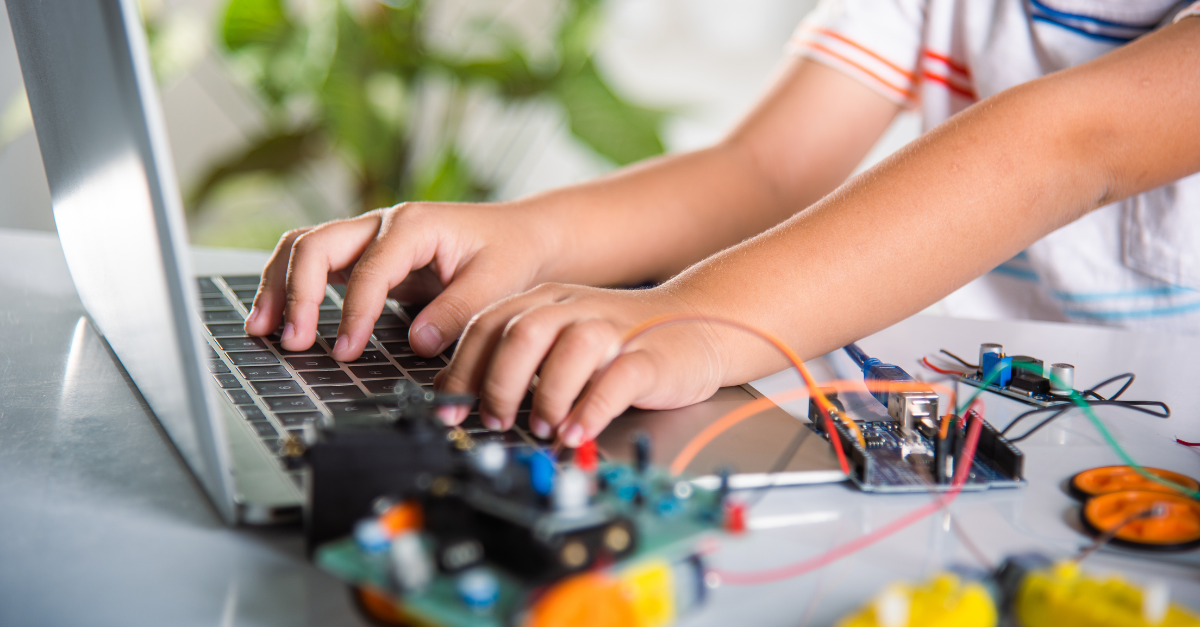
- Robotics + hardware (LEGO Spike, VEX, Arduino): Great for hands-on kids who don’t love staring at a screen.
- “Tech sampler” camps (coding + digital art + video editing + STEM): Ideal for kids who want variety.
Why does this matter? The “best” camp for one child can be miserable for another. Your job isn’t to find the fanciest curriculum—it’s to match development level + personality + goals.
The Pros of Coding Camps (the real-life version)
1. Coding builds problem-solving muscle
Coding is basically structured troubleshooting. Kids learn to:
- Break big tasks into smaller steps
- Test ideas
- Find what’s wrong
- Fix it
- Try again.
That’s not just “future job skill” talk. That’s resilience, patience, and logical thinking, useful in math, writing, sports, and life.
2. It can be a confidence rocket
There’s something powerful about a child saying, “I made this.” Whether it’s a simple Scratch animation or a playable game, coding gives kids a visible, shareable win. And for some kids, especially those who don’t always shine in traditional classrooms, tech projects can be a place to thrive.
3. Many camps are secretly creativity camps
The best coding camps don’t feel like school. They feel like:
- Inventing characters
- Building worlds
- Designing levels
- Making music or art for a game
- Telling stories through interactivity
For creative kids, coding can become an outlet, not a chore.
4. Group learning can be a cheat code
When done well, camps create a “team” vibe where kids learn by watching each other, collaborating, and swapping ideas. That social layer is often what turns “maybe I like this” into “I want to keep doing this.”
5. It’s a structured way to explore “tech interest” without long-term commitment
A one-week camp is a low-risk trial compared to investing in long classes or equipment. If your kid loves it, great! If not, you learned something without signing your life away.
The Cons of Coding Camps (what parents should realistically watch for)
1. “Coding camp” can be glorified screen time
Some camps are basically long videos, worksheets, minimal interaction, and kids watching an instructor type (Jenn had this experience about a month ago - yikes!).
That’s not inherently evil, but it’s not what most parents think they’re paying for. If the camp can’t clearly explain how kids actively build, you might be buying a fancy babysitting situation.
2. Skill mismatches can tank the experience
A camp that mixes beginners and experienced kids without proper grouping creates two unhappy groups: beginners feel lost, and experienced kids feel bored.
You want clear leveling or at least flexible pacing.
3. Too much “sit and code” isn’t great for young kids
For toddlers and preschoolers, most “coding” should be:
- Short
- Movement-based
- Puzzle-like
- Heavily guided
A 6-year-old in a full-day, text-based coding camp might spend the week melting down and deciding they “hate coding forever.”
4. Cost can be steep (and value varies wildly)
Coding camps can be pricey, especially “brand name” ones. Price doesn’t always equal quality. Sometimes you’re paying for marketing, a trendy platform, or a shiny lab, not better instruction.
5. Some camps are more tool-focused than concept-focused
If a camp is built entirely around one platform (say, Roblox), your child may learn “how to use Roblox,” but not transferable concepts like loops, variables, or debugging strategies. That’s fine if Roblox is the goal, just know what you’re getting.
How to Choose the Right Coding Camp
Start with your kid’s goal (not yours)
Ask: What are we hoping for?
- Fun + confidence boost
- Real skill-building
- A social group
- A creative outlet
- Prep for a class/club next year
If your kid just wants to build a silly game with friends, a hardcore Python camp isn’t the move.
Match the camp type to age and temperament
Here’s a simple guide:
- Ages 5–7: Look for Scratch Jr, unplugged coding activities, robotics play, and lots of breaks.
- Ages 8–10: Scratch, beginner robotics, intro game design, simple web design. The best camps keep it playful.
- Ages 11–13: Roblox Studio, Minecraft modding, intro Python, game design with more structure.
- Ages 14+: Python/JavaScript, app development, data/AI intros, more rigorous projects, and portfolios.
Ask these 7 questions before you register
If this information isn’t transparently listed (even with our best efforts at MomBrains, some camps simply don’t publicize this information!), you can copy/paste these into an email:
- How do you group kids—by age, skill, or both?
- What does a typical day look like (hour by hour)?
- What will kids build by the end of the week?
- How much 1:1 support is available when kids get stuck?
- Do kids collaborate, or work mostly independently?
- Is there off-screen time and movement built in?
- What experience do instructors have teaching kids (not just coding)?
The last one matters a lot. Teaching kids is its own skill.
Choose “project-based” over “lecture-based”
A green flag is when the camp describes:
- Building something every day
- Showing progress
- Sharing demos
- Debugging with support
Coding is learned by doing. If a camp can’t tell you what kids will make, that’s a red flag.
Consider in-person vs online honestly
In-person is great for attention, collaboration, and structure. Online can work well for older kids, strong readers, and kids who like self-paced learning, especially if the camp offers real-time help and small groups.
Are Coding Camps Worth It?
They can be, when the camp is hands-on, well-leveled, and aligned with your child’s interests. A good coding camp doesn’t just teach “how to code.” It teaches kids to build, iterate, and problem-solve, and it can unlock confidence in kids who love creating things.
If you’re unsure, start small: one week, beginner-friendly, project-based, and fun. The goal isn’t to raise a tiny software engineer. It’s to give your child a chance to explore a modern skill in a way that feels empowering!
And always check out the STEM category in our MomBrains Camp Finder!


.webp)
.webp)
.webp)


.png)


.png)
.png)